n8n vs Zapier: Which is the Right Choice for Your Business?
238 Views
Summarize Article



Summarize Article
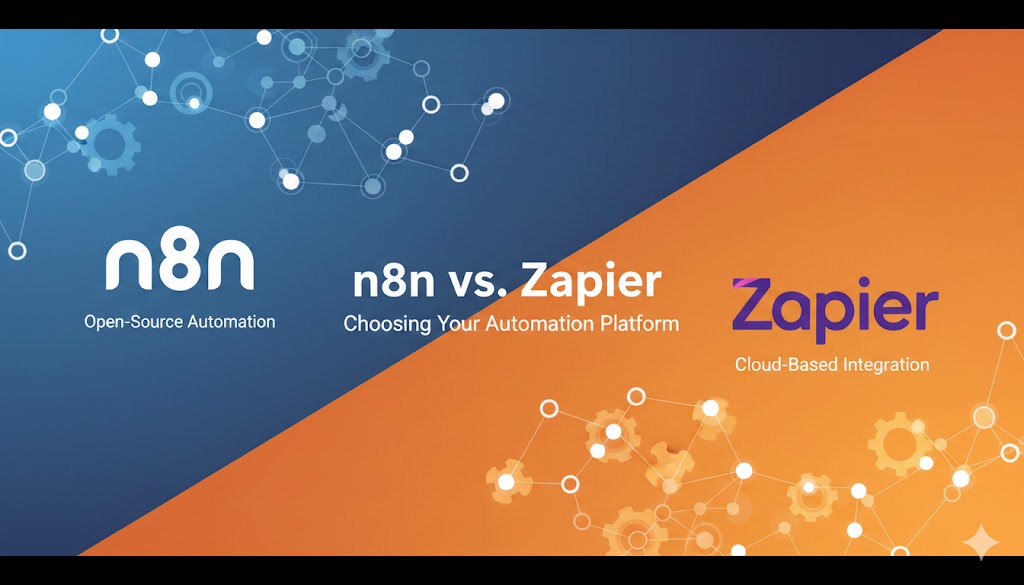
Automation tools are everywhere now. Yet most teams still waste hours on copy-paste work, missed handoffs, and manual follow-ups. That is why the n8n vs Zapier debate keeps coming up when we talk about AI workflow automation. Both tools help you connect apps and move data. Both can cut busywork fast. The real difference shows up once workflows get bigger, sensitive, or messy.
If you want speed and a very simple setup, Zapier usually wins. If you want control, deeper logic, and options like self-hosting, n8n often wins. That is the simplest way to think about n8n vs Zapier differences.
This guide gives a practical n8n vs Zapier comparison in plain language. You will see what each tool does best, where each one struggles, and how to pick the right fit for your team.
Zapier is built for fast automation. You choose an app, pick a trigger, then add actions. It shines when your goal is “connect this tool to that tool” with minimal effort.
Zapier works well for:
The biggest strength in any Zapier vs n8n comparison is speed. Many workflows can be built in minutes.
n8n is a workflow automation tool that feels closer to a builder for real processes. You can still use it without heavy coding, but it supports complex logic much better.
n8n works well for:
A key part of n8n vs Zapier advantages is flexibility. You can build flows that look more like a real process map, not only a simple chain of steps.
Here is a clear view of the core tradeoffs.
| Domain | Zapier | n8n |
| Setup speed | Very fast | Fast, but needs more setup in many cases |
| Ease of use | Very beginner friendly | Friendly, but more “builder” style |
| Complex logic | Limited once flows grow | Strong for branching and custom logic |
| App integrations | Huge library | Good library plus strong API options |
| Data control | Cloud-first | Cloud plus self-host option |
| Cost predictability | Can rise fast with usage | Often easier to control at scale |
| Engineering fit | Light | Strong |
| Debugging | Basic logs | Stronger run history and control |
This table is a high-level Zapier vs n8n features comparison. The sections below give the detail that matters in real work.
Zapier is easier for non-technical teams. The flow is guided. The language is simple. If your team has marketing ops or sales ops building workflows, Zapier can feel more natural.
n8n has a clean interface too, but it expects you to think in workflows. Once you start using branches, filters, and data mapping, it feels more technical. That is not bad. It is just a different fit.
A good rule:
A small automation is easy in both tools. The gap shows up when you need a workflow that looks like real work.
Example: “New lead arrives” is easy.
Now add: “Check lead quality, enrich data, route to the right rep, create tasks, send a personalized email, log all steps, retry on failure.”
That is where n8n vs Zapier differences become obvious.
Zapier can do multi-step flows, but it can feel stretched once you need deep branching or detailed data work.
n8n handles this style better because it was designed around workflow graphs. You can also insert code steps when needed.
Zapier has a massive app directory. That matters if you use niche SaaS tools. In many Zapier vs n8n debates, this is the deciding point.
n8n has many integrations too. It also makes API work easier. If an integration is missing, you can often use HTTP nodes and connect via API faster than you would expect.
So the question is not only “How many integrations exist?”
The better question is “How fast can we connect the tools we actually use?”
This is a big one. Zapier is cloud-first. That is convenient. It also means your data passes through a hosted service.
n8n can be hosted in the cloud too, but many teams like it because it can be self-hosted. That helps if you have stricter rules around data handling, internal systems, or compliance.
If you work with sensitive customer data, finance workflows, or internal tools, this part of the n8n vs Zapier comparison matters more than UI. You can also plug this decision into your wider AI data rules by tying it to a simple AI governance playbook, so automation design and data policy stay in sync.
Most teams start small. Costs look fine early. Then automation becomes popular. Usage grows. Bills change. Zapier pricing often ties to tasks and plan limits. As workflows grow and run more often, cost can rise quickly.
n8n can be cost-effective at scale, especially if you self-host, because you are not paying per task in the same way. You still pay in other ways though, like infrastructure and maintenance.
So the cost question is really this: Do you want to pay mainly for convenience, or pay mainly for control? That is a core theme in n8n vs Zapier advantages.
Automation breaks. APIs rate-limit. Tokens expire. A webhook fails. Zapier handles common failure cases, but you might hit limits in how you manage complex retries or custom recovery steps.
n8n gives you more control over error flows. You can design fallback steps, store run history, and replay runs more directly in many setups. If your automation touches revenue, customer experience, or billing, this part is not optional.
Teams grow. More people create workflows. Then chaos starts.
You need basics like:
Zapier can work well in smaller teams, especially for simple automations owned by ops. n8n tends to fit better once you want structured workflow management, especially when engineers are involved. This is one reason many companies start on Zapier, then move heavier workflows to n8n later.
Both tools can connect to AI services and build AI steps into workflows.
Zapier is good for quick AI helpers, like:
n8n is strong when AI is only one step inside a bigger workflow, like:
If you are building AI-powered ops, n8n often gives more control. For teams that want to plug real “thinking” steps into those flows, it helps to pair n8n with a clear understanding of how AI agents actually work in production.
Here is a simple decision guide.
Choose Zapier if:
Choose n8n if:
That answers the common search intent behind Gemini vs ChatGPT which is better, but in this case it is n8n vs Zapier. There is no universal winner. There is only the right fit for your workflows.
WebOsmotic helps teams choose automation tools based on real workflows, not platform hype. If you need a deeper view of why WebOsmotic is trusted, you can point decision makers to this overview of custom AI and automation builds before they lock in a stack.
Our workflow looks like this:
If you want a clean plan for n8n vs Zapier, WebOsmotic can help you pick the right stack, build it fast, and keep it stable as usage grows.