Embedded AI Explained: How Smart Devices Think Without The Cloud
281 Views
Summarize Article



Summarize Article
Most “smart” devices still act dumb the moment the network slows down. A doorbell camera takes too long to flag a person, a machine sensor misses an early warning, or a voice command feels laggy at the worst time.
In the U.S., an FCC 2024 report says about 24 million people still lack access to fixed broadband, so cloud-only decision making can be shaky in real life.
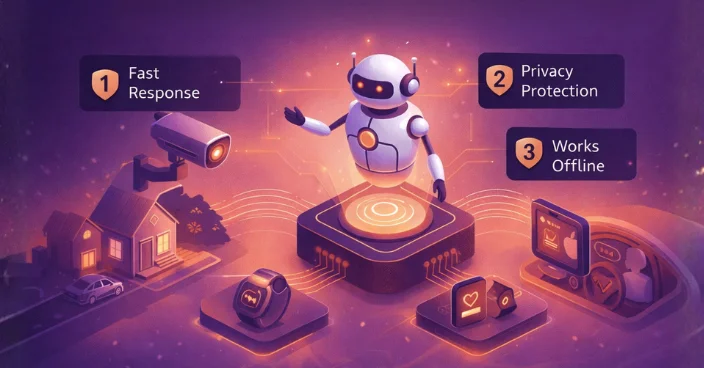
The easy way out is embedded AI: the model executes on the device, thus making the device make its own decisions. That will result in quicker response times, reduced information being transferred over the internet, and minimal privacy pains.
This may seem to only apply to high-end gadgets. In reality, it appears in a lot of standard installations now, such as factory cameras, wearables, kiosks, and in-car systems.
The only real requirement is a clear job for the model and hardware that can handle it.
Today, we’ll break down what embedded AI is, how it runs inside limited hardware, and why AI embeddings often matter even when the cloud is barely involved.
Embedded AI implies that an AI model runs not only in a remote server but also within an embedded device. A lot of embedded deployments also sit inside phones, so AI in mobile app development helps you see where on-device inference fits.
An embedded device may be a microcontroller board, a small CPU module or an edge box that is placed right next to a machine. The similar thing is limitation. You possess a small memory, a small compute and can be highly constrained in power.
People also mix “edge AI” and embedded AI. They overlap, but the focus differs.
In practical undertakings, the difference is not as important as the end result. The outcome is local decisions with predictable speed.
Three pressures keep pushing teams toward AI in embedded systems.
Latency is the first one. If a safety alert arrives a second late, it is not a “small delay.” It is a miss. Local inference avoids round trips.
Bandwidth is the second one. Streaming continuous video or audio to a server costs money and adds failure points. Local inference can filter the noise and send only the small events that matter.
Privacy is the third one. If a device can keep sensitive signals local, the system becomes simpler to govern. It also reduces the chance of over-collecting data you never needed in the first place.
IBM’s 2024 breach report puts the average breach cost in the United States at $9.36 million, so keeping more signals on-device can reduce exposure.
A small real-life example: a shop owner installs a smart camera to reduce theft. They want instant alerts and they do not want raw video leaving the store all day. Embedded AI fits that goal better than “upload everything and analyse later.”
If privacy is a key driver, AI data governance helps you set access rules and logging early.
Under the hood, embedded AI still uses the same core model ideas as larger systems, often transformer-based or CNN-based depending on the job. The difference is how you prepare the model so it fits the device.
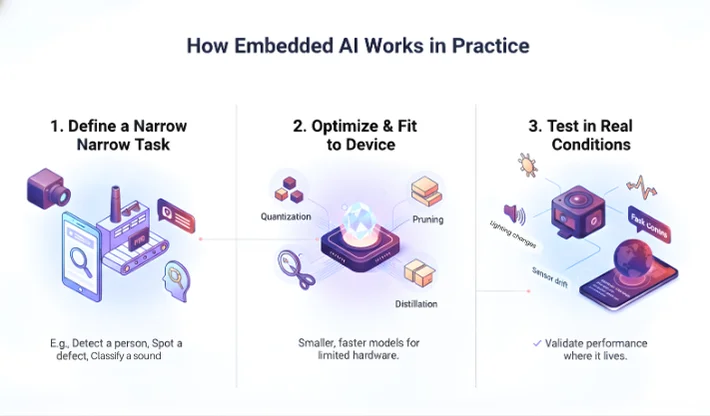
Most embedded AI deployments follow a flow like this:
You start with a narrow task. For example, detect a person in a frame, spot a defect on a line, classify a sound as “normal” or “odd,” or recognise a wake word.
Then you optimize. This step is not optional. If you skip it, the model may work on a laptop demo and fail on the device.
Common optimisation approaches include quantisation (smaller number formats), pruning (removing weights that add little value), and distillation (training a smaller model to copy a larger model’s behaviour). Hardware support matters too. Some devices have a small NPU or DSP that makes inference much faster.
The part many teams miss is testing in real conditions. Lighting changes, background noise changes, and sensor drift happens. You only know the truth when the device runs in the place it will live.
A lot of products end up with a hybrid design.
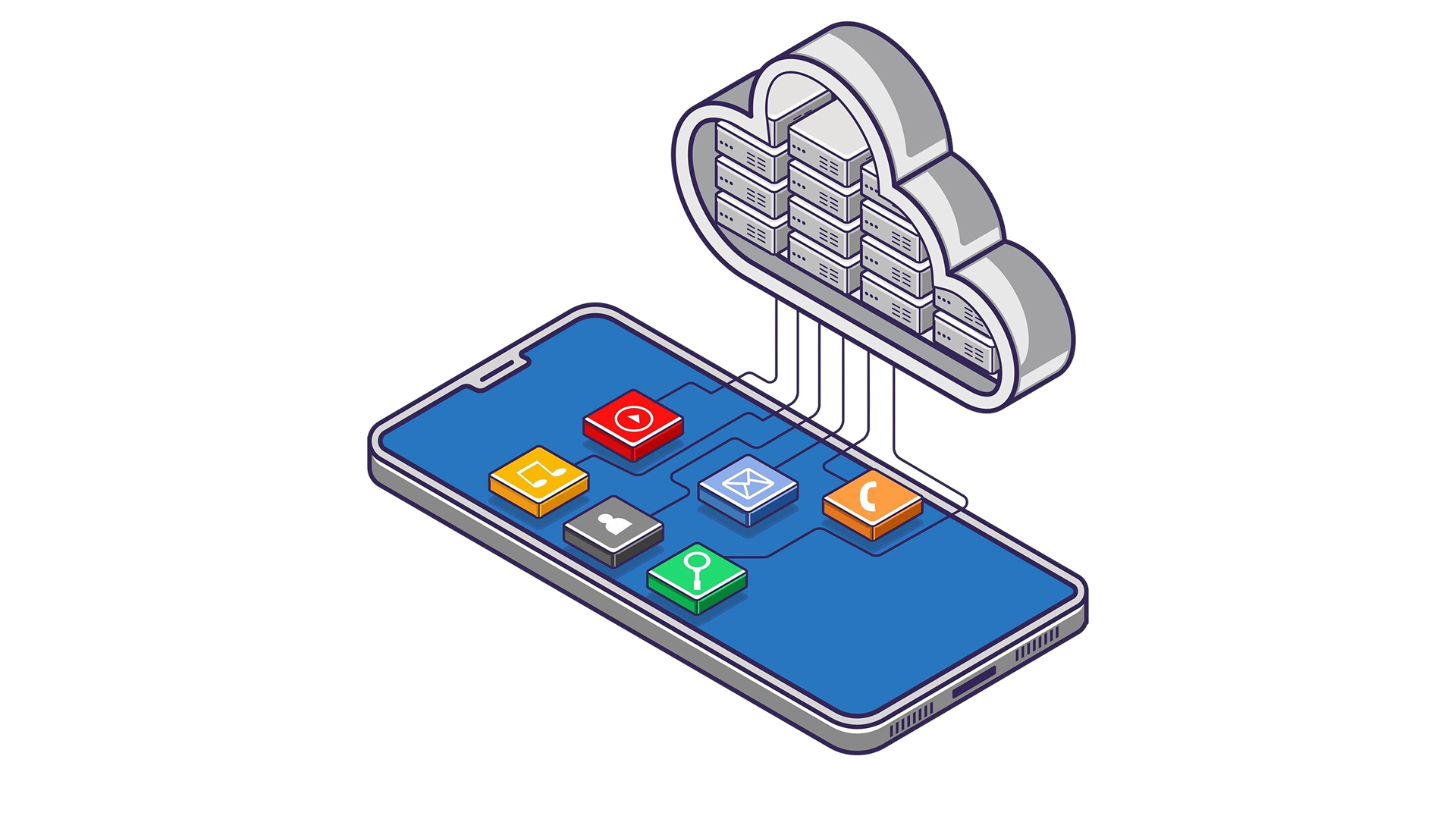
The device handles immediate decisions, like “this looks like a person” or “this motor sound is unusual.” The cloud handles heavier jobs, like fleet analytics, long-term trend tracking, and model updates across thousands of devices.
This split usually feels right because it keeps the experience fast while still giving the business a central view.
Part of you might want to keep everything local for privacy. Another part might want cloud insights to improve the model quickly. Hybrid is often the practical middle.
If you are deciding what stays local and what goes central, pros and cons of cloud services can help you map the split.
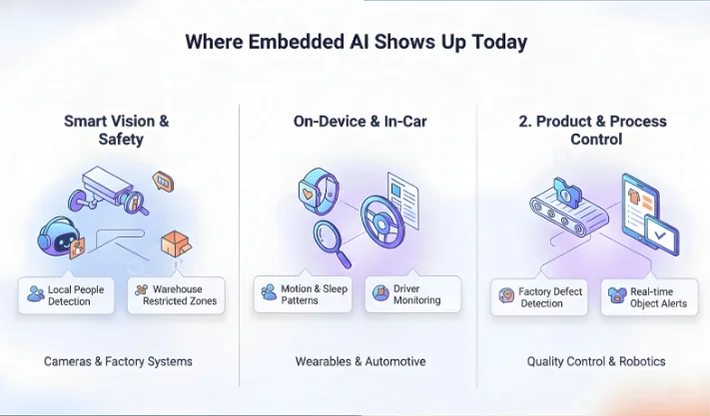
Wearables are a common on-device surface, and wearable devices app development shows how teams handle sensor data and sync. For vision use cases on shop floors, AI for manufacturing quality control is a close match.
Now to the part that confuses a lot of people: what are embeddings in AI, and why do they matter for embedded AI?
An embedding is a compact numeric vector that represents meaning or patterns.
Instead of treating a sentence, image, or audio clip as raw data, a model converts it into a vector. Similar items end up with vectors that sit close together in that vector space.
This is useful because “compare vectors” is a cheap operation. That matters when your device has tight compute limits.
A simple way to think about embedding in AI is “a fingerprint that preserves similarity.” It is not a perfect fingerprint, but it is good enough to match things that feel alike.
Collect samples in the real environment, not a lab. Capture normal behaviour and failure signals across different shifts. Label with clear rules so teams agree. A short pilot usually exposes lighting changes and sensor drift that your training set missed.
Pick a narrow job, then choose hardware using real throughput targets. Select a model that fits memory and latency budgets. Quantise, prune, or distil if needed. Test under sustained load, because a one-off demo can hide thermal throttling in production.
Decide early what runs on-device and what runs in a private edge box. That choice shapes error logs and update flow. Track false alarms and missed detections, then ship updates with rollback. If you use embeddings, place vectors near inference.
One common mistake is unclear scope. If the goal is “make it smart,” you cannot test it. If the goal is “detect people at the door with under 200ms latency,” you can test it.
Another mistake is ignoring edge cases in the real environment. A camera may face glare, dust, or rain. A microphone may sit near a loud fan. A sensor may drift after months.
A third mistake is skipping guardrails. If the model is uncertain, the system needs a safe fallback. That fallback can be “ask for a second signal,” “wait for another frame,” or “hand off to a server model.”
Embedded AI is a system build, not a single model drop-in. The model must fit the hardware, the pipeline must handle updates, and the product must stay stable in real conditions.
WebOsmotic assists teams to create the appropriate split between device and server, optimize the models to achieve latency goals and establish the monitoring that detects drift before it becomes support tickets. If your project needs ai embeddings, we can design the embedding pipeline and similarity layer to stay fast on small devices. It can also scale cleanly across a full fleet.
If you want a full build around device models, testing, and guardrails, custom machine learning solutions are the right starting points.
It is used for local detection and classification tasks, like vision alerts, wake word detection, anomaly spotting, and sensor pattern recognition.
They overlap. Embedded AI usually means the model runs inside the device itself. Edge AI often includes nearby gateway hardware too.
They are numeric vectors that represent meaning or patterns, so similar items can be matched quickly.
They let a device convert raw signals into compact vectors, then do fast similarity checks without heavy compute.
Cloud AI is better when the task needs large models, heavy reasoning, or long context, and when latency and privacy constraints allow remote processing.