AI Agent vs Chatbot: Which One Does Your Business Really Need?
83 Views
Summarize Article



Summarize Article
Businesses want to automate the customer support procedure. Prompt response is currently a big key to converting visitors into quality leads as they want quick answers.
Now, the confusion becomes when it comes to AI agent vs chatbot. People want help, but they also want control.
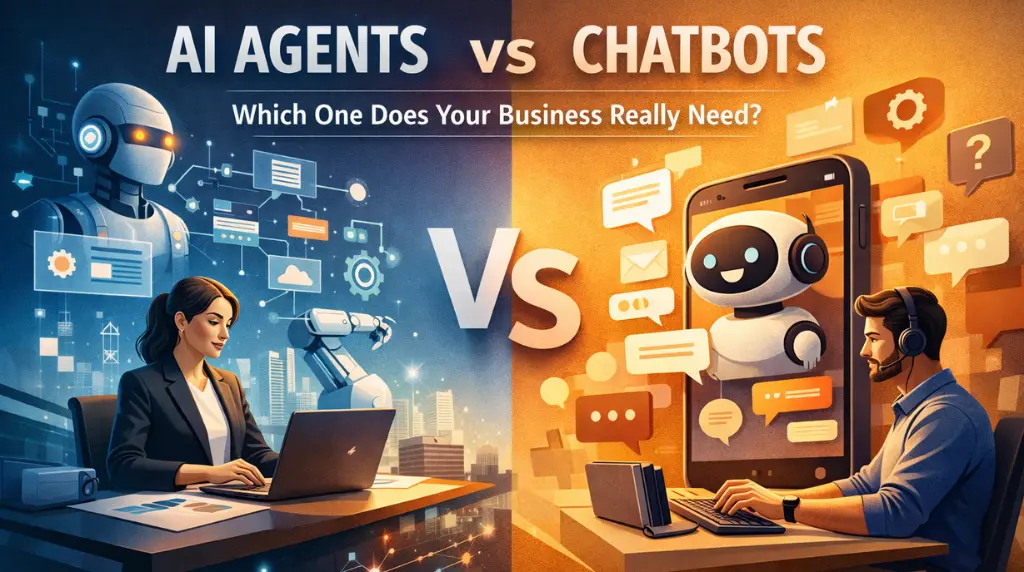
Here is the clean way to think about it. A chatbot is mainly a conversation layer. An agent is a conversation layer plus the ability to take steps and do work in other systems. This difference changes cost, risk, and outcomes.
This guide keeps it practical. You will see what each one does, how to decide fast, and the common traps that waste weeks.
A chatbot is designed to talk. It can answer questions and guide users to a page. Also, it can pass the case to a human. Most chatbots are “single loop” systems like user asks and bot replies.
Good chatbots usually do these jobs well:
A chatbot becomes valuable when your main goal is faster responses without giving the bot broad power inside your tools.
So when people search “chatbots vs AI agents,” they are usually trying to understand one thing: does the assistant only talk, or can it act?
An AI agent is built to complete a task. It does not just answer a question like a chatbot. It can plan steps and follow a small workflow until the work is done. Also, Independent frameworks like the NIST AI Risk Management Framework explain why systems that take actions inside tools require stronger controls in comparison to systems that only generate text.
Think of an agent as a worker that can:
That is the core difference in AI Agents vs Chatbots. Chatbots are best at handling conversations. Agents are best at handling outcomes.
For a practical look at building agents with approvals and tight permissions, hire an expert AI agent development company.
Imagine a customer says: “I need to change my shipping address.”
A chatbot can explain the policy and share the steps. Also, it can collect the order ID and hand it to support.
An agent can do a lot of related tasks as well. For example, it can collect order ID, fetch the shipping status, update the address, confirm the change, etc. Same chat window, but a totally different level of impact.
If you’re confused about AI agent vs chatbot, use this table to know the correct comparison.
| Area | Chatbot | AI Agent |
| Main goal | Answer and guide | Complete tasks end to end |
| Tool access | Light, optional | Core part of the design |
| Typical workflow | One reply per message | Multi-step planning and execution |
| Best use cases | FAQs, routing, simple support | Ops tasks, account actions, internal workflows |
| Risk level | Lower | Higher, due to actions |
| Setup effort | Faster | Slower, needs guardrails and testing |
| Success metric | Deflection rate, CSAT | Time saved, task completion rate |
If you want a clear breakdown of agentic behaviour versus content generation, read what is generative AI vs AI.
Pick a chatbot when the job is mostly communication and triage.
If your support queue is full of repeats, a chatbot can cut volume quickly. You can ship it faster and measure impact to iterate.
Some teams do not want an assistant changing data. That is reasonable, especially in regulated industries or high-risk workflows.
If your help articles are clean and updated, a chatbot can answer well with lower setup effort. You can also keep answers grounded by linking it to a knowledge base.
A chatbot can collect intent and key details, then send the case to the right team. That alone can remove a lot of hassle.
Pick an agent when you want the assistant to do work inside your stack.
If a task needs jumping across CRM, billing, support desk, calendar, etc. an agent can handle the steps with one chat request. If you are comparing workflow automation routes before you add an agent, this detailed guide about n8n vs Zapier can help.
Agents work best on tasks that follow a pattern. If your process is different every time, an agent will struggle or become expensive to maintain.
Agents need guardrails: what the agent can do, what needs approval, and what it must refuse. If you cannot define that clearly, do not start with an agent.
A chatbot might reduce tickets. An agent can reduce tickets and reduce handling time, since the work gets done earlier in the flow. Industry research shows that automation tied directly to workflow execution delivers higher operational savings than simple response automation.
Pick one high-volume task with clear rules. Build that and measure it. Thus, add the next one.
A good early pattern is “draft plus confirm.” The agent drafts the action and then the agent executes. This reduces risk and builds trust.
The agent should refuse sensitive actions without proper identity checks. Also set rules for missing data, like a missing account ID.
Track completion rate and time saved per task. If those do not move, you do not have the right workflow yet.
Not every business needs an agent. Not every business should settle for a chatbot.
If your users mainly need fast answers, go chatbot first. If your team needs work completed across systems, an agent can pay off fast, but only when you build it with tight scope and clear permissions.
If you publish practical AI guides and want a steady way to decide and ship, WebOsmotic can help your team pick the right approach and roll it out without turning it into a risky science project.
A chatbot mainly talks and guides. An agent talks and also completes multi-step tasks using tools, with rules and approvals.
You can use both. Many teams start with a chatbot for triage, then add agent actions for one workflow once the inputs and rules are stable.
Chatbots are usually cheaper to ship and maintain. Agents can save more time later, but they cost more in setup and ongoing guardrails.
Launch a chatbot first, then add “draft plus confirm” agent actions for one workflow. Keep tool permissions narrow and expand slowly.
For chatbots: deflection rate and user satisfaction. For agents: task completion rate and time saved per completed task.