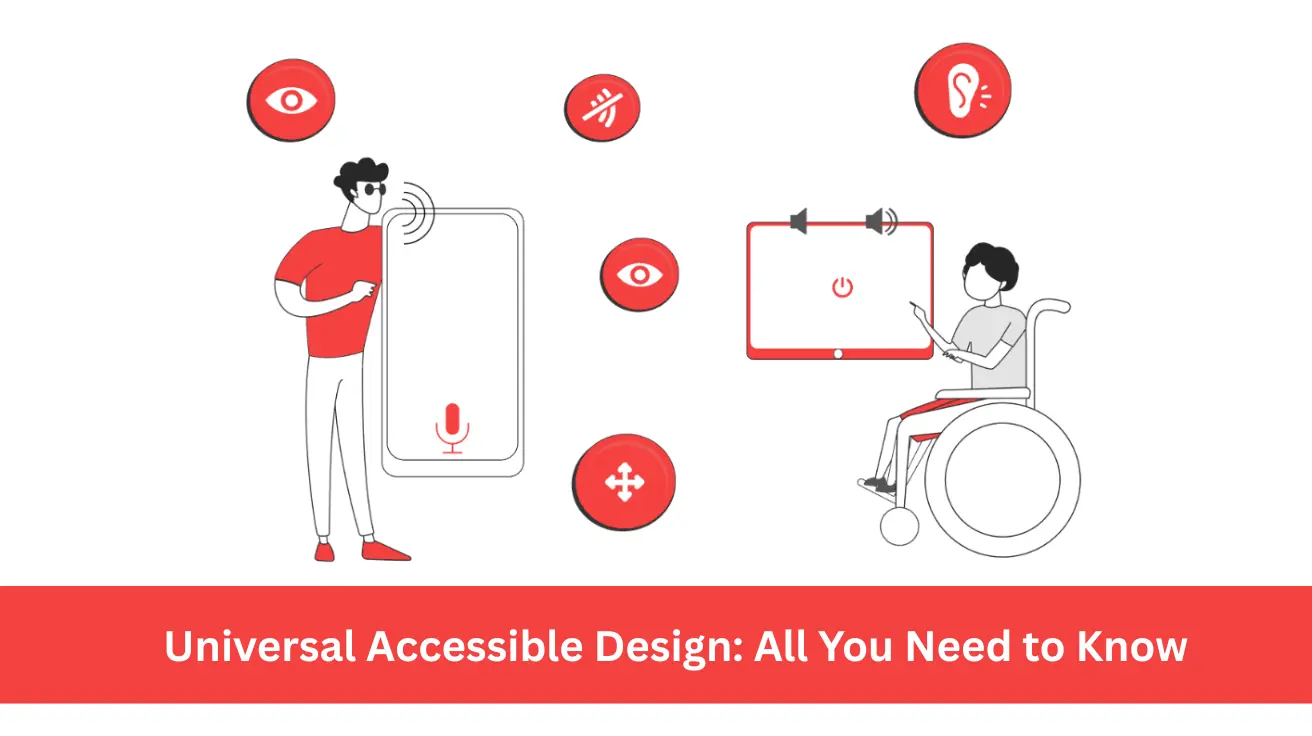
Universal Accessible Design: All You Need to Know
119 Views
Summarize Article



Universal accessible design is not a niche policy. It touches daily life for a huge share of people. The World Health Organization notes that about 1.3 billion people, nearly 16 percent of the global population, live with significant disability.
Universal design accessibility helps digital products stay usable to people with disabilities. This guide explains the idea in simple language so product and design teams can act step by step inside real projects and roadmaps today for users everywhere.
For a quick primer on outcomes and terminology, review our guide to user experience basics.
Universal accessible design is a way to shape products and services so as many people as possible can use them with ease. It grows out of ideas about disability rights and digital inclusion, yet it does not stop at one group. Parents with strollers, workers with heavy bags, older adults with tired eyes, and students on old phones all gain when design is easier to reach and easier to understand.
In digital work, the phrase universal design accessibility often points at layouts and content that support many types of bodies and minds. That includes:
Instead of waiting until the end of a project and adding quick fixes, teams bake these needs into the early drafts. If you are formalising standards, start with a web accessibility service overview that maps policy to practical component rules.
This approach lines up with the wider move towards rights based design. It treats access as a basic promise, not a special extra layer. When universal accessible design sits in roadmaps, teams use it as a filter for ideas, not just a checklist for launch week.
Universal design and accessibility sit close together, but they are not the same. Universal design means one main experience that works for many people. Accessibility means removing barriers so people with disabilities can join in on equal terms.
In practice, universal design for accessibility joins these ideas. Teams use patterns that help many users, like strong colour contrast and clear focus states. They also add supports like captions on video and text alternatives for images, so people who use assistive tech can take part with comfort.
Keep the design workflow explicit so contrast, focus, and captions ship as part of the main build.
Two simple questions guide this work:
When the answer stays close to yes across many test users, you know that your universal accessible design work is moving in a useful direction.
Universal design accessibility shows up in many small details inside digital products. A login screen that supports password managers, passkeys, and clear error hints keeps many people inside the flow instead of locking them out.
A dashboard that lets users change text size and switch to high contrast mode supports both older eyes and people who work in bright light. A short pass on color contrast and legible type scales prevents many avoidable barriers.
Navigation patterns also matter. Clear headings and predictable tab order help screen reader users and keyboard users. The same patterns also support busy people who skim pages quickly on phones. Good universal design for accessibility makes this kind of comfort normal instead of rare.
Content style plays a part as well. Short sentences and plain words with helpful link labels make tasks easier for people who read in a second language or live with cognitive load. Instead of packing every screen with dense text, teams can reveal detail step by step so users stay in control.
71% of users with accessibility requirements will abandon a site that is tough to use. Some leaders still see accessibility work as a legal box to tick. That view misses real value.
Universal accessible design widens the group of people who can use your product without help. A wider user group can turn into higher sign ups and better task completion that support stronger loyalty.
Think about a checkout page that works well with screen readers and keyboard navigation. That same page:
These gains help every segment, not only disabled users.
Universal design accessibility also protects brand trust. People notice when a site locks them out, even in small ways. They also notice when a site quietly supports their needs without drama. In crowded markets, that quiet support can be the reason someone stays with one service instead of switching.
You do not need a giant budget to start on this path. A few steady habits can shift culture and lift quality over time.
Bring real users with disabilities into research and testing. Partner with local groups or remote panels. Pay people for their time. Ask them to complete key tasks, then watch where friction appears. Fix issues that block more than one person. This single habit creates a live link between universal design and accessibility in your product. Build this into ongoing user research so real tasks and assistive tech behaviours stay in scope.
Set a small shared standard for your team. Pick two or three non negotiable rules, such as minimum colour contrast and keyboard access for primary actions. Add these rules to design systems and pull request templates. Over several sprints, you will see far fewer issues slip through.
Run quick audits on current journeys. Start with high traffic flows such as sign up or checkout. Use automated tools as a first pass, then confirm issues with manual checks. Each cycle, fix the most severe issues and log patterns that keep repeating so you can address root causes.
Finally, train people across roles. Designers can learn about focus order and visual hierarchy. Engineers can learn about ARIA roles and semantic HTML. Product owners can learn how universal accessible design ties into user satisfaction and conversion metrics. Short, regular sessions work better than one long workshop that everyone forgets.
Latest CDC data shows that about 1 in 4 US adults, over 70 million people, report a disability.
WebOsmotic works with product teams that want real change, not just new slogans. Projects often start with a discovery sprint that maps user journeys, device types, and key barriers in present flows. Out of that, the team prepares a clear set of improvement themes with impact estimates.
Next, WebOsmotic helps teams fold universal design accessibility rules into design systems and component libraries plus content guidelines. That way, every new feature follows the same direction instead of repeating past mistakes. AI tools support content checks and layout tests, yet humans stay in charge of final decisions.
For teams who already ship often, WebOsmotic sets up tracking for accessibility metrics alongside normal product KPIs. This helps leaders see universal accessible design not as a side project, but as a lever inside growth and retention.
The 2025 WebAIM Million report found that 94.8 percent of tested home pages still had detectable WCAG 2 failures.
Universal accessible design links the big idea of rights with the daily work of product teams. It keeps universal design and accessibility close so no user group slips through cracks.
When you make this link part of your roadmap, every release can carry small steps towards a fairer, calmer experience.
If you want structured help, WebOsmotic can audit current flows, support quick fixes, and guide long term shifts in design and development habits. Step by step, you can turn universal accessible design into a quiet strength inside your product stack.