Gemini vs ChatGPT: A Detailed Flagship Models Comparison in 2026
231 Views
Summarize Article



Summarize Article
If your team uses AI daily, the hard part is not “trying AI.” The hard part is choosing the right flagship model for the job and then sticking to a workflow that stays consistent as tools change.
A solid way to stay grounded is to look at how models perform in real human preference testing, not just marketing claims. The Chatbot Arena research paper explains a large-scale, vote-based evaluation approach that many teams use as a sanity check.
If you like seeing tools tested side by side, this perplexity vs ChatGPT breakdown shows how different evaluation styles change which model feels “better” in real life.
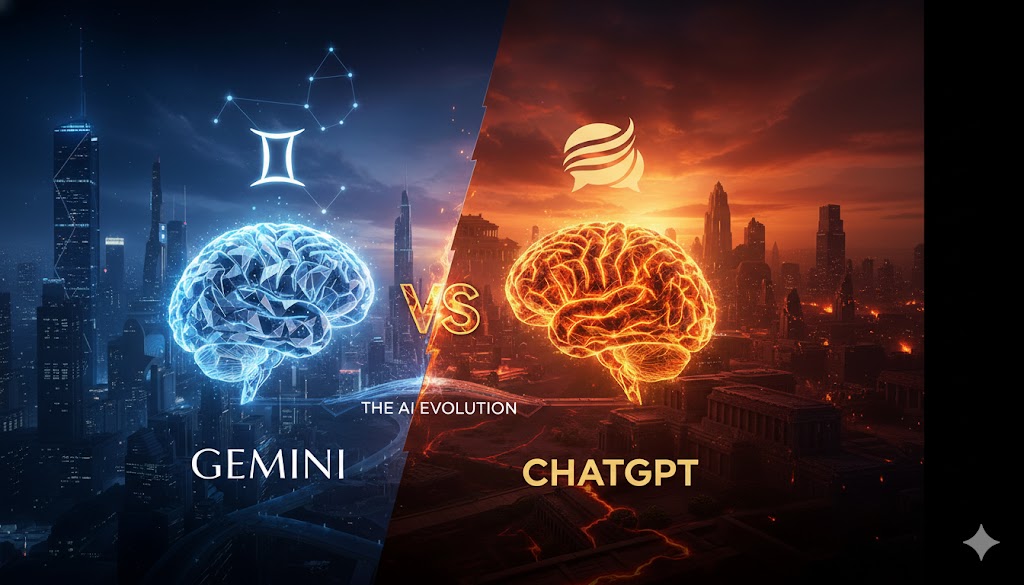
This guide breaks down Gemini vs ChatGPT using the top-tier “flagship” options teams compare most in 2026, plus a practical score table you can use in a buying decision.
When someone says Google Gemini vs ChatGPT, they usually mean these flagship tiers. You can see the same pattern in this ChatGPT vs Claude comparison, where strengths shift by task instead of one model winning every category.
OpenAI positions GPT-5.2 as a flagship option aimed at strong coding and agent-style work, with a large context window and high output limits.
Google’s Gemini lineup lists Gemini 3 Pro (Preview) as a top-tier option, with “thinking” support and a very large input window.
Quick note that matters in real teams: “flagship” does not mean “best at everything.” It means “best overall tier,” then you still pick based on your tasks.
These scores are a product-team lens, not a lab benchmark. They combine (1) capability signals published in model docs (context, modalities, tooling support) and (2) the kind of human preference evaluation approach discussed in the research link in the introduction.
Scoring scale: 10 = best-in-class, 8 = strong, 6 = workable.
| Category | ChatGPT (GPT-5.2) | Gemini (Gemini 3 Pro Preview) | Why This Score Matters |
| Writing quality and tone control | 9 | 8 | Both write well, but many teams find ChatGPT easier to “lock” into a house style with fewer rewrites. |
| Reasoning and structured planning | 9 | 9 | Both handle multi-step work well; the gap shows more in workflow and verification habits than raw capability. |
| Coding and debugging | 9 | 8 | GPT-5.2 is positioned strongly for coding and agentic tasks. |
| Long-context document work | 8 | 10 | Gemini 3 Pro lists a larger input window, which helps with big docs and knowledge bases. |
| Image understanding | 8 | 8 | Both accept image input in their flagship tiers per docs. |
| Tooling and “work app” fit | 9 | 8 | OpenAI’s model docs emphasize tool use patterns; Gemini also supports strong integration paths, but stacks vary by org. |
For most teams, ChatGPT vs Gemini writing is not about “good vs bad.” It is about editing time.
ChatGPT tends to feel easier when you need:
Gemini tends to feel strong when you need:
If your use case is ChatGPT vs Gemini blog writing, a simple test works well. Give both tools the same outline plus the same “do and don’t” list, then measure how many edits your editor makes before it sounds publishable.
The “Gemini AI vs ChatGPT reasoning” debate gets noisy online because people test with puzzles. Real work looks different.
In real work, the better tool is the one that:
That is why many teams end up using both. One becomes the “draft and plan” engine, the other becomes the “review and tighten” engine.
GPT-5.2 is described as a flagship model oriented toward coding and agent-style tasks. That matters if your workflow includes:
Teams that already think in terms of autonomous flows and hand-offs will recognise many overlaps with this explainer on what an AI agent is and how it behaves in a stack.
Gemini still performs well in coding, but the practical difference is usually in how your team plugs it into the rest of the stack and how fast you can review outputs.
This is where Gemini’s flagship tier often wins on paper. Gemini 3 Pro (Preview) lists a very large input window, which helps when you want to load a long spec, a full set of support macros, or an internal handbook in one go.
If your org does heavy document work, Gemini can reduce the “split this doc into parts” pain. That directly reduces mistakes caused by missing context.
Here is the honest answer: it depends on what your team does all week.
Pick ChatGPT (GPT-5.2) if your top needs are:
Pick Gemini (Gemini 3 Pro Preview) if your top needs are:
For anything touching customer or internal data, this AI data governance article is a good sanity check on policies you should lock in before wider rollout. If you want a clean decision process, run this checklist:
List your top 5 weekly tasks. If most are writing, sales enablement, and light analysis, both will work. If most are coding, QA, and workflows with tools, GPT-5.2 often fits better.
If your inputs regularly exceed “a few pages,” Gemini’s larger input window becomes a real advantage.
Ask: “How will we verify outputs?” If your team needs auditable, repeatable patterns, pick the tool that makes verification easiest inside your stack, not the one that wins a demo prompt.
You need a clear internal rule for what can be pasted into any model, plus a safer workflow for sensitive data. Many teams fail here, then blame the model.
The best tool is the one your team uses correctly. If your team already lives in one ecosystem, start there, then add the second tool only if a clear gap remains.
Most teams do not fail because they picked “the wrong model.” They fail because they mix tools with no clear system, then outputs vary and trust drops.
WebOsmotic typically helps teams set a simple operating model:
That is the difference between testing tools and building a working AI stack.
The difference between responsive and adaptive web design debates feel loud because people want a single winner, and this space is similar. Gemini vs ChatGPT is not a one-size call.
GPT-5.2 is positioned as a strong flagship for coding and agent-style work, while Gemini 3 Pro (Preview) stands out on big-context use. If you pick based on your weekly tasks and your verification flow, the choice gets simpler, and results get more consistent.
Need help with using AI the right way but feeling confused? You can get help with WebOsmotic’s AI consulting services that help you access a pool of expert AI engineers, who can guide you the best way possible.