What Is One Positive Effect Technology Has Had on Education
102 Views
Summarize Article



Summarize Article
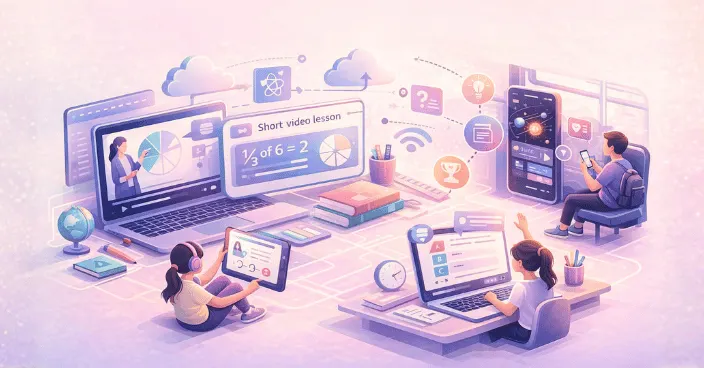
If you ask ten people this question, you will get ten answers. Yet one effect stands out almost everywhere, and that is access. Today, a student can learn a new concept at home or on a bus ride. He or she just needs to have a device and a connection.
That single shift explains a big part of the benefits of technology in education. Learning is no longer tied to one place or one book.
Access is not just a buzzword. In U.S. higher education, NCES reports 61% of undergraduates took at least one distance education course in fall 2021, so learning away from campus is already routine.
Better access is the biggest positive change. It is not only “online classes.” It is the simple fact that learning is now easier to reach, in more ways, at more times.
A student can:
Technology in education helps close the gap between students who get extra support and those who do not.
A Class 8 student struggles with fractions. Earlier, they might wait for the next class or depend on a tutor. Now they can use a short video lesson, practise on an app, and ask a doubt in a class group chat. The teacher still matters most, but the student gets more “learning minutes” without extra cost.
Access becomes real when it supports teachers, not when it adds chaos. A simple way to keep lessons usable on weak internet is building the portal as a progressive web app.
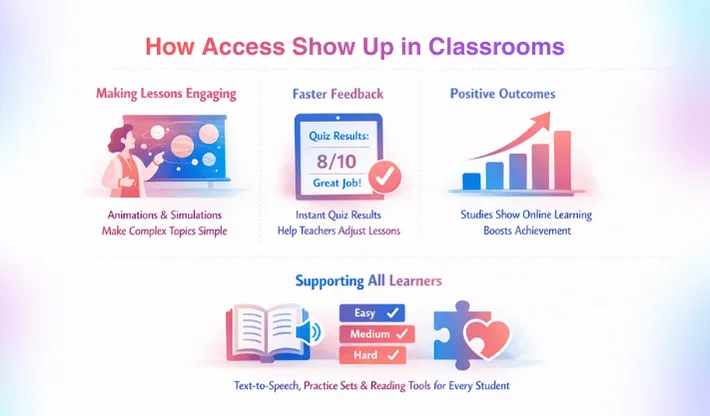
Teachers can use animations, simulations, and short clips to explain tough topics. This is one of the benefits of using technology in education because it makes abstract ideas feel simple. For long reading lessons, great web typography can do more than fancy visuals because it improves comfort and focus.
Example: a science teacher shows a simulation of the solar system to explain motion and gravity. Students who struggle with textbook diagrams often understand faster.
Quizzes on learning platforms can show results instantly. Teachers can see where the class is stuck and adjust the next lesson.
This is a practical part of the benefits of digital technology in education,. It helps teachers teach smarter, not harder.
Online learning outcomes depend on design, but they are not automatically worse. A 2021 meta-analysis of 27 studies reported a moderate positive effect on academic achievement (effect size about 0.41).
Some students learn better with visuals. Some need extra practice. Some need reading support tools.
Digital tools can offer text-to-speech and practice sets at different levels. That helps classrooms stay inclusive without making any student feel singled out.
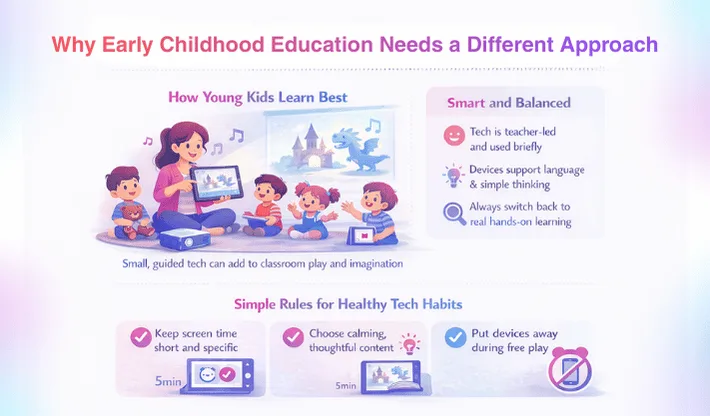
Young kids learn best through play, movement, and human interaction. So the goal is not more screen time. The goal is better support.
The benefits of technology in early childhood education can be real when tools are used in small, guided ways.
A teacher uses a storytelling app with audio and pictures, then the kids act the story out in class. The device supports imagination, and the main learning still happens through play and talk.
This kind of balance is where the value sits for early learners.
Keep tech short and teacher-led, not open-ended. Use one clear activity, then switch back to hands-on learning fast. Choose content that supports language and basic thinking, not fast cartoons. Also, keep devices out of free play time. Kids need to talk, move, and explore real objects more than they need tapping and swiping.
Technology helps, but it also creates new problems if schools rush it. Let’s understand the benefits and challenges of technology in education.
The access gap is still large. UNICEF and ITU estimate nearly 1.3 billion school-age children aging 3–17 have no internet access at home. Hence, schools need offline options and shared-device routines.
A school does not need perfect tech to win. It needs clear rules, teacher training, and simple systems that work every day.
If your school needs offline-friendly learning access, the benefits of progressive web apps make the case in plain terms.
If a school or education brand wants to use tech well, start small.
Pick one area where access will improve learning fast, like homework help, revision tests, or reading support. Build a routine around it. Measure improvement. Then expand. A clear school site is still the base layer, and why a website is important explains how it supports trust and communication.
This is where WebOsmotic can help: choosing the right learning flow, building tools that are easy to use, and making sure the tech supports teachers instead of adding more work.
Better access to learning is the biggest positive effect. Students can learn at their own pace. They can use different formats that match how they understand best.
Not always. It helps when it supports learning goals and stays guided. Without rules, it can increase distraction and reduce deep focus in class.
Use it in short blocks with a clear purpose. Keep tasks simple, use tools that show quick results, and set device rules that students can follow without confusion.
Keep it guided and short. Use it to support stories, sounds, and visuals, then shift back to hands-on play and teacher-led activity as the main learning method.
Start with access and outcomes. Ensure basic device availability, stable internet, and teacher comfort with the tools. Then scale only after you see clear learning improvement.